








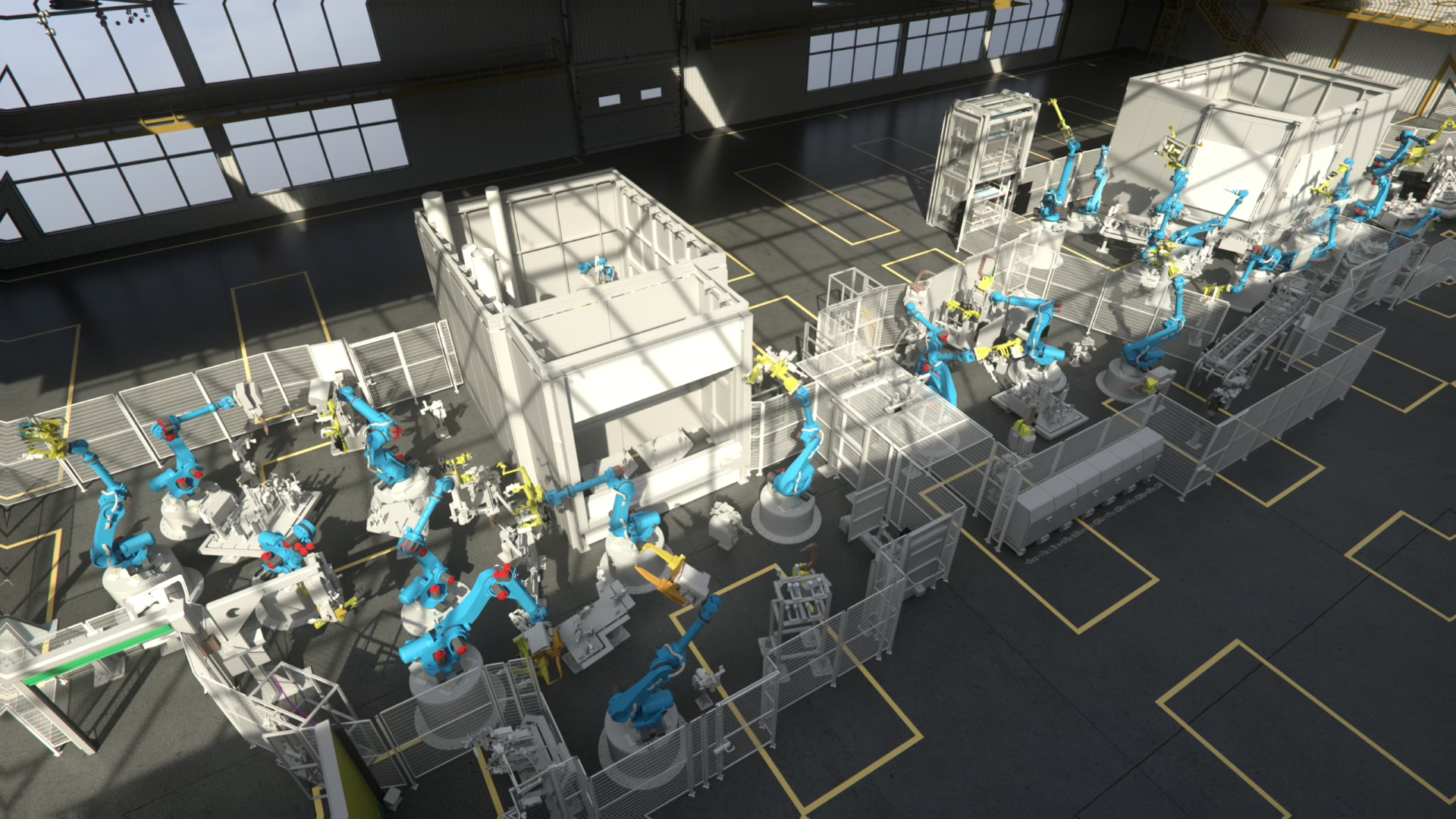
Digital Innovation Industrial Software Development
Software for problems that no standard tool solves.
We build industrial software for production environments — from our own RF::SUITE platform to customer-specific applications, interfaces and tools. Written by engineers who work on real production systems, not by a generic software house.

Simulation, commissioning, analysis.
Two ways we deliver software
A proven platform, and everything around it.
Most requirements are covered by RF::SUITE. What is left is usually specific to your data, your processes or your existing systems — and that is exactly where custom development starts.
RF::SUITE
Our own software suite for simulation, virtual commissioning, optimization and training — one consistent environment instead of isolated tools, developed and maintained in-house.
- A continuously developed product, not a project artefact
- Modules that can be combined per project
- Support, updates and long-term maintenance
Applications built for your case
When the requirement is specific to your plant, your data or your workflow, we develop the application, interface or extension that closes the gap — standalone or on top of RF::SUITE.
- Engineering tools and workflow automation
- Interfaces between systems that do not talk
- Extensions and connectors for RF::SUITE
Software products
The RF::SUITE product line.
Simulation, virtual commissioning and optimization in one platform for your entire production. Each product works on its own, and together they cover the path from engineering to real operation.
RF::INTELLIGENCE — New
Learn with it.Think ahead.
RF::CEREB is the intelligence layer of the RF::SUITE. It connects simulation data, production metrics and sensor inputs, and turns them into real-time, actionable decisions.
- Anomaly detection and predictive maintenance
- Real-time optimization of production processes
- Seamless integration across all RF::SUITE products
Simulation & virtual commissioning
Building, connecting and validating the digital model of your production 3D simulation
RF::YAMS
Simulates production systems in a 3D virtual environment and provides detailed insights into system performance, optimization potential and operational efficiency.
Learn more Periphery simulation
RF::ViPer
Models, simulates and tests peripheral components in virtual commissioning, using reusable program modules for greater flexibility.
Learn more Robot simulation
RF::RobSim
Advanced robot simulation for validating and optimizing robot programs, ensuring error-free commissioning and efficient workflows.
Learn moreAnalysis, planning & qualification
Turning models and production data into better decisions and skills Data analysis
RF::SCOUT
Analyzes production data from virtual and real systems to identify bottlenecks, optimize performance and increase efficiency.
Learn more Fixture planning
RF::GUARD
Automates 3D fixture planning with editable models, enabling maximum flexibility in design and optimized production processes.
Learn more Training
RF::EdDi
Enhances workforce qualification through virtual training and simulation-based learning for practical skill development.
Learn more
 Hardware interface
RF::FSBox — from simulation to reality.
A compact device that connects virtual simulations with real hardware. Dedicated hardware and integrated software combine for realistic testing, signal exchange and seamless integration between digital models and the shopfloor.
Reliable connections across controllers and robot platforms.
RF::SUITE Connect Tools extend the platform with dedicated interfaces for control systems, simulations and robot manufacturers. They enable reliable data exchange and seamless integration across virtual commissioning, testing and connected production workflows.
PLC & Control
Robot connectors
Custom development
What we build when the standard stops.
Custom software in an industrial context is rarely a large system. It is usually the missing piece between two systems, a repetitive task that should not be manual, or a view of data nobody can currently see.
Engineering tools
Applications that automate recurring preparation work: converting, checking, generating and validating project data.
Interfaces and data exchange
Connections between CAD, PLM, PLC environments, simulation tools, databases and production systems that do not natively fit together.
RF::SUITE extensions
Connectors, converters and project-specific functions that extend the platform without leaving the established workflow.
Data collection and visualization
Recording signal and production data and presenting it so engineering, production and management see what they actually need.
Test and validation tooling
Automated test runs, comparison of software versions and structured evidence for acceptance and regression checks.
Migration and modernization
Bringing legacy tools, macros and grown Excel solutions into maintainable applications without losing the knowledge inside them.
For every problem a solution
Tell us the problem, not the specification.
Most projects start with a frustration rather than a requirements document. Select a situation to see how we would typically approach it.
Make the systems talk to each other.
Engineering data usually exists — in CAD, in symbol lists, in the PLC project, in Excel. The problem is that it lives in different formats and is transferred by hand. We build the interface that reads, maps and validates it automatically.
- Analysis of the existing formats and sources
- Automatic conversion and consistency checks
- Clear reporting when data is incomplete
- Integration into the existing engineering workflow
How a project runs
From a rough idea to software you can rely on.
Understand the problem
We look at the actual workflow, the data and the people who will use the result — usually more informative than a written specification.
Define scope and feasibility
Requirements, interfaces, effort and technical risks are clarified so the first version solves a real problem instead of everything at once.
Develop in short cycles
Working versions are delivered early and reviewed with your team, so direction changes cost days rather than months.
Test with real data
Validation runs on your actual projects and edge cases, because industrial software fails on exceptions, not on the happy path.
Roll out and document
Deployment, user documentation and handover, including what is needed for your own IT to operate the application.
Maintain and extend
Support, updates and further development, so the tool stays usable when systems, versions or requirements change.
Why EKS InTec
Industrial software needs industrial experience.
The difficult part of a production application is rarely the code. It is knowing how controllers, robots, engineering data and shop-floor reality actually behave — and that knowledge comes from doing the projects, not from reading about them.
Automation background
Our developers work alongside the people who plan, simulate and commission real production systems.
Our own product
RF::SUITE proves the approach: a maintained platform in productive use at industrial customers.
Interfaces are routine
Controller platforms, robot systems, fieldbuses and engineering data formats are daily business, not research.
Built to last
Applications are documented and maintained so they survive version changes and staff changes.
Frequently asked questions
Industrial software development, clearly explained.
Do you only develop within RF::SUITE?
How small can a project be?
Who owns the software we commission?
Can you work with our existing systems and IT rules?
What happens after delivery?
How do we start?
Let's build it
Describe the problem. We will tell you what it takes.
Whether it is a missing interface, a repetitive workflow or a tool that does not exist yet: bring us the situation and we will show you the shortest path to a working solution.